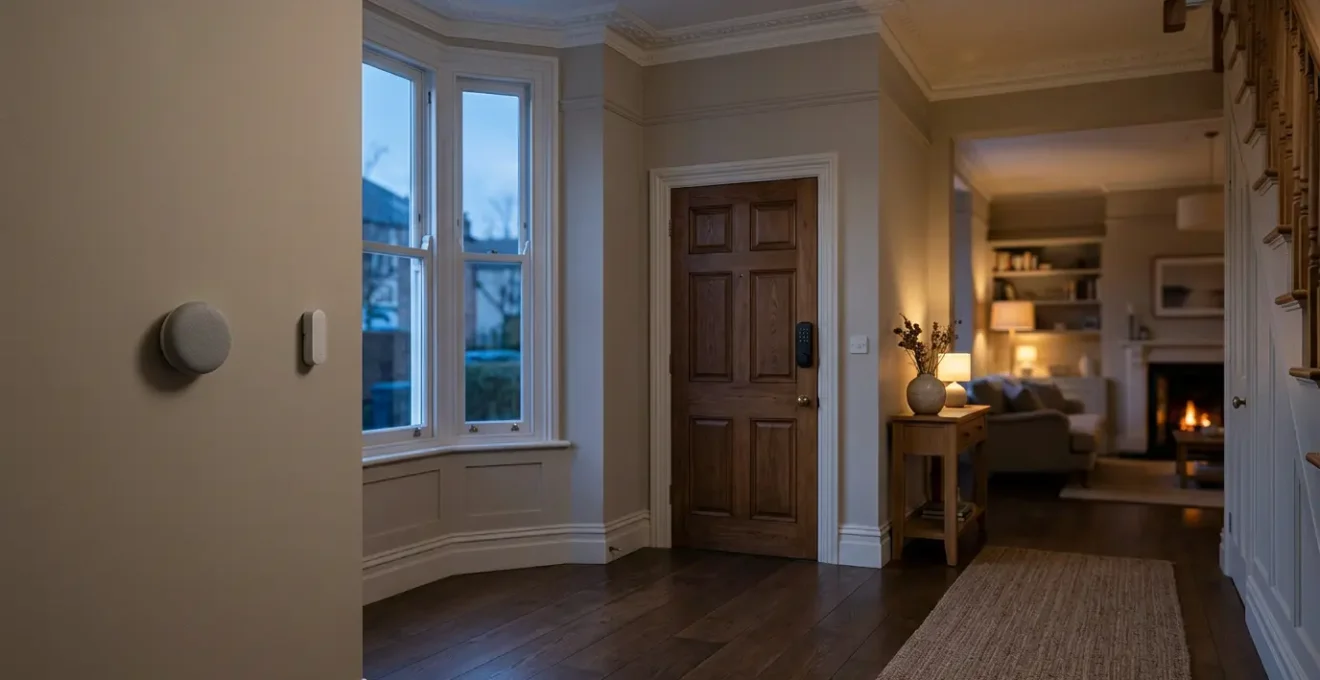
Thinking a strong password is enough to protect your smart home? Think again.
- The real threats to UK smart homes are systemic issues like SIM-swapping, credential stuffing, and poorly managed family access—not just weak passwords.
- True security comes from auditing your entire ‘chain of trust’, from your mobile provider’s security to your app’s data encryption and your family’s access rights.
Recommendation: Shift your focus from simply creating stronger passwords to actively managing your household’s digital access policies and data footprint, starting with a ‘Digital Security MOT’ today.
You’ve read the headlines: a family’s smart camera gets hacked, a digital lock is bypassed, or a thermostat reveals when a home is empty. It’s enough to make anyone anxious. The common advice is predictable: use a strong, unique password and enable two-factor authentication. While this is basic digital hygiene, it’s like putting a state-of-the-art lock on a door made of cardboard. It completely misses the real, more insidious threats facing UK smart households today.
The problem isn’t just your password. It’s the complex web of interconnected services, apps, and permissions that you’ve inadvertently built. It involves your mobile phone provider, the app developers, the cloud servers storing your data, and even the family members you’ve granted access. Security isn’t a single point of failure; it’s a chain of trust, and a single weak link can compromise your entire home.
But what if the key wasn’t just to build higher walls, but to understand the entire landscape? What if true security came from actively managing who holds the keys to your digital life? This guide will move beyond the platitudes. We will dissect the actual threat models targeting UK homes, from SIM-swapping fraud to the risks of shared family accounts. We will equip you with the knowledge to audit your setup, ask the right questions of your service providers, and implement a robust security posture that truly protects your home and privacy.
This article provides a comprehensive walkthrough of the critical vulnerabilities in your smart home ecosystem and offers actionable steps to secure them. By understanding these points, you can transform your home from a potential liability into a secure, convenient asset.
Summary: A UK Household’s Guide to Smart Home App Security
- Why Is a Strong Password Not Enough to Protect Your Smart Lock App?
- How to Check If Your Thermostat App Actually Encrypts Your Data?
- Closed-Source App or Open-Source Alternative: Which Is Safer for UK Smart Homes?
- The Family-Account Mistake That Gives Everyone Admin Access to Your Smart Locks
- When Should You Review and Update All Smart Home App Permissions?
- Apple HomeKit or Matter Protocol: Which Future-Proofs Your UK Smart Home Best?
- The No-Backup Mistake That Loses 10 Years of Family Videos When a Drive Fails
- How to Build a Media Server That Streams to Every TV in a UK Household?
Why Is a Strong Password Not Enough to Protect Your Smart Lock App?
The idea that a complex password is an impenetrable shield is a dangerous myth. The most significant threats to your smart home app access don’t try to guess your password; they bypass it entirely. Two methods are particularly prevalent and devastating: credential stuffing and SIM-swapping fraud. Both exploit weaknesses in the wider digital ecosystem, not just your single account. Your strong password for your smart lock app is irrelevant if the same email and password combination was leaked from a breach at a completely different company years ago. This is credential stuffing, an automated process where attackers use lists of stolen credentials to try and log into thousands of services, hoping for a match.
Case Study: The 23andMe Credential Stuffing Breach
In October 2023, genetic testing company 23andMe disclosed that attackers gained unauthorized access through credential stuffing, exploiting reused passwords from prior breaches. The UK Information Commissioner’s Office (ICO) fined 23andMe for failing to adequately protect the personal data of around 155,000 UK customers. This demonstrates how password reuse across platforms creates cascading vulnerabilities, making it trivial for an attacker to take over a smart home account if the same credentials are used.
Even more alarming is the rise of SIM-swapping. An attacker convinces your mobile provider to transfer your phone number to a SIM card they control. Once they have your number, they can intercept the two-factor authentication codes sent via SMS, reset your passwords, and gain full access to your smart home apps. This is no longer a niche threat; UK fraud prevention service Cifas reported a staggering 1,055% increase with nearly 3,000 cases in 2024. As one expert noted, SIM swapping is a classic gateway offence—once criminals control your number, the door is open to widespread fraud.
This reality demands a new mindset. Protection is not about a single password but about securing every link in the chain, especially the one tied to your mobile phone, which has become the master key to your digital life.
How to Check If Your Thermostat App Actually Encrypts Your Data?
Your smart thermostat knows more about you than you think: your daily schedule, when you’re on holiday, and your energy usage patterns. This data is a goldmine for criminals. While we assume app developers implement basic security, verifying these claims is crucial. An app that doesn’t properly encrypt your data sends this sensitive information « in the clear » over your Wi-Fi and the internet, making it easy for anyone on the same network—or a hacker intercepting the traffic—to read. The key is to look for evidence of strong encryption, both for ‘data in transit’ (as it travels) and ‘data at rest’ (when stored on servers).
You don’t need to be a cryptographer to perform a basic check. Start by scrutinising the manufacturer’s privacy policy and the app’s store page. Look for specific terms. Vague promises of « security » are red flags; you want to see explicit mentions of transport layer security, such as ‘TLS 1.2’ or ‘TLS 1.3’, and ‘end-to-end encryption’. Also, check for statements regarding UK GDPR compliance and where your data is stored. Data housed on UK or EU servers is subject to stricter privacy laws than data stored elsewhere.

This verification process is your first line of defence against poorly designed apps. The UK’s Product Security and Telecommunications Infrastructure (PSTI) Act is beginning to enforce better security standards, but consumer vigilance remains essential. An app that is not transparent about its data handling practices cannot be trusted with control over your home.
Your Action Plan: Verifying App Encryption
- Policy Scrutiny: Check the manufacturer’s privacy policy for explicit mentions of ‘TLS 1.2’, ‘TLS 1.3’, or ‘end-to-end encryption’ for data transmission.
- Data Location Audit: Verify UK GDPR compliance statements indicating where data is stored and processed (UK/EU servers are preferable to US servers with different legal protections).
- Official Guidance Cross-Reference: Cross-reference device security claims with the NCSC’s guidance on smart devices and the Product Security and Telecommunications Infrastructure (PSTI) Act requirements.
- Transit vs. Rest: Look for assurances of both ‘data in transit’ (protection over networks) and ‘data at rest’ (encryption on servers) protection.
- App Store Red Flags: Scan App Store/Google Play reviews for warnings like poor grammar, lack of a UK-specific privacy policy, or no mention of a UK/EU data controller, which can indicate a less professional operation.
If a manufacturer isn’t clear about how they protect your data, the safest assumption is that they don’t do it well enough. Choose a different product from a company that prioritises and publicises its security architecture.
Closed-Source App or Open-Source Alternative: Which Is Safer for UK Smart Homes?
When you choose a smart home platform, you’re not just buying a device; you’re entering into a long-term relationship with its software. This choice often comes down to two philosophies: closed-source systems like Hive and open-source alternatives like Home Assistant. For a UK household, the decision has significant implications for privacy, long-term viability, and security. A closed-source, cloud-based system offers plug-and-play simplicity but requires you to place your trust entirely in a corporation. Your data is stored on their servers, and the device’s functionality is dependent on their continued operation. If the company goes bust or decides to discontinue a service, your expensive hardware could become a paperweight overnight.
As the UK’s National Cyber Security Centre (NCSC) warns, this dependency is a real risk. In their guidance on smart device laws, they state, « When updates are no longer provided, devices are easier to hack, or may stop working as designed. » This highlights the vulnerability of relying on a single corporate entity for security patches and ongoing support.
Open-source platforms like Home Assistant present a different model. They prioritise data sovereignty by operating on a ‘local-first’ basis. Your data never leaves your home network unless you explicitly configure it to. This eliminates the risk of a corporate data breach and means the system is not subject to UK GDPR because no external data processing occurs. While the initial setup is more technical, often involving a Raspberry Pi sourced from UK suppliers like Pimoroni, the long-term benefits are substantial. You are not dependent on a company’s financial health, and vulnerabilities can often be identified and patched faster by the active global and UK community.
| Feature | Hive (Closed-Source) | Home Assistant (Open-Source) |
|---|---|---|
| Data Location | Cloud-based (UK/EU servers, subject to corporate policies) | Local-first (data never leaves home network) |
| UK GDPR Compliance | Corporate-managed compliance | Not applicable (no external data processing) |
| Company Shutdown Risk | Device becomes non-functional if servers shut down | Continues working indefinitely |
| Vulnerability Patching | Dependent on corporate timelines | UK community can identify and patch faster |
| Setup Complexity | Simple plug-and-play | Technical setup (Raspberry Pi from UK suppliers like Pimoroni) |
| UK Availability | One million UK Hive customers | Active UK community support forums |
The choice is between the managed but fragile trust in a corporation and the resilient, self-reliant model of an open-source community. For those concerned with long-term security and privacy, the latter offers a compelling argument.
The Family-Account Mistake That Gives Everyone Admin Access to Your Smart Locks
One of the most overlooked vulnerabilities in a smart home has nothing to do with hackers from afar; it’s the people you let in. The convenience of sharing access with family members, cleaners, or dog walkers often leads to a critical mistake: granting everyone ‘Owner’ or ‘Admin’ level permissions. This is the digital equivalent of giving every visitor a master key that not only opens the front door but also allows them to change the locks, disable the alarm, and make copies of the key for others. It transforms a useful feature into a significant security liability.
Most major smart home apps used in the UK, such as Ring, Hive, and Google Nest, offer granular access controls for this very reason. They typically provide at least three tiers: Owner/Admin (full control), Shared/Standard User (can use devices but not change settings), and Guest (temporary or limited access). The common mistake is to add a spouse, partner, or even a teenager as a full Admin for convenience. This means if their account is compromised—perhaps through a reused password or a lost phone—the attacker gains complete control over your entire home security system.

Effective security requires establishing a clear household policy for what we can call ‘digital house keys’. This means implementing the principle of least privilege: give each person only the minimum level of access they need to perform their role. Your teenager likely doesn’t need the ability to delete security camera footage or change the master code on the smart lock. A quarterly audit of who has access and at what level is not paranoia; it’s responsible access governance.
Your Action Plan: UK Household Digital Access Audit
- Ring App: Navigate to Control Centre → Shared Users → review each user’s permission level (Owner, Shared User, Guest) and revoke outdated access.
- Hive App: Go to Settings → Household Members → check who has ‘Admin’ vs ‘Standard’ access and downgrade teenage users to Standard.
- Google Nest App: Open Home settings → Household → review members and their access levels, removing former partners or temporary workers.
- Family Policy: Establish a ‘digital house key’ family policy: report lost phones within 1 hour, no sharing of access credentials, and conduct quarterly access reviews.
- Digital Literacy: Link discussions on smart home access to UK charity resources, like the NSPCC’s online safety guidance, for age-appropriate conversations about responsibility.
The goal is to move from a model of shared ownership to one of managed access. It’s a small change in setup that represents a giant leap in your home’s security posture.
When Should You Review and Update All Smart Home App Permissions?
In the rush to set up a new smart device, we often grant apps a wide range of permissions without a second thought. Microphone access for a smart light bulb? Location access for a thermostat? These permissions, which seem innocuous at the time, create a persistent and often unnecessary security risk. Each permission is a potential entry point for an attacker or a channel for data harvesting. Therefore, reviewing these permissions shouldn’t be a one-time event; it should be a regular, scheduled part of your digital life, much like a car’s annual MOT.
A proactive schedule is far more effective than a reactive one. A great habit to adopt is the ‘Digital Security MOT’, conducted twice a year when the clocks change in the UK. This provides a memorable, recurring trigger to audit not just app permissions, but also shared user accounts and passwords. Additionally, a review should be mandatory after every major app update. Developers sometimes bundle new, unnecessary permission requests with updates, hoping users will blindly accept them. You must question the ‘why’. If a smart bulb app suddenly requests microphone access, it’s a major red flag.
It’s also useful to categorize permissions by their potential for harm. High-risk permissions include:
- Location: Reveals when you are not home, a clear signal for burglars.
- Microphone: Potential for eavesdropping on private conversations.
- Local Network: A critical one. If an attacker compromises a simple device like a smart plug, this permission can allow them to scan your home network and attack more valuable targets like your computer or NAS drive.
A key part of being a responsible smart home owner in the UK is knowing your rights. If an app demands permissions that are clearly excessive for its function, you can and should report it to the UK’s Information Commissioner’s Office (ICO) as a consumer rights issue.
By treating app permissions not as a set-and-forget task but as a dynamic and ongoing audit, you fundamentally reduce your home’s attack surface and ensure your smart devices serve you, not the data brokers.
Apple HomeKit or Matter Protocol: Which Future-Proofs Your UK Smart Home Best?
Choosing a smart home ecosystem is a long-term investment. For years, the market was a walled garden, with devices from one brand (like Ring) refusing to talk to another (like Nest). Two major forces are trying to solve this: Apple’s mature HomeKit platform and the new, industry-wide standard, Matter. For a UK household, the choice between them involves balancing privacy, cost, and compatibility with local retailers and internet service providers (ISPs). Apple HomeKit is known for its strong, marketing-led privacy stance and slick integration if you’re already in the Apple ecosystem. Features like HomeKit Secure Video, which encrypts your camera footage, are compelling. However, it locks you into needing an Apple device (like an iPhone or HomePod) as a hub, and device selection can be more limited and expensive, with a starter sensor kit from retailers like John Lewis or Currys costing around £300.
Matter is the new challenger, backed by a consortium including Apple, Google, and Amazon. Its promise is universal interoperability. In theory, any Matter-certified device should work with any Matter-certified controller. This openness is its greatest strength, particularly as it will bring Amazon’s Ring and Echo devices into a more integrated ecosystem. However, Matter’s security model is more complex to implement correctly than Apple’s tightly controlled one. Furthermore, it relies on a new networking technology called Thread. While this is a positive, it often requires a dedicated ‘Thread Border Router’, a separate purchase of £60-£100, as the hubs provided by major UK ISPs like BT, Sky, and Virgin are unlikely to support it natively in the short term.
Your choice depends on your priority. If you are a dedicated Apple user and value simplicity and a clear privacy story above all, HomeKit remains a robust and secure choice. If you prioritise long-term interoperability, want to mix and match brands (especially Amazon devices), and are comfortable with a slightly more technical setup, then building your smart home around the growing Matter ecosystem is the more future-proofed path.
| Aspect | Apple HomeKit | Matter Protocol |
|---|---|---|
| UK Retail Availability | Aqara G2H Pro at John Lewis, Currys (£300 for 8-sensor setup) | Growing adoption across major brands |
| Hub Requirements | Requires iPhone/iPad/HomePod/Apple TV | Thread Border Router needed (separate £60-£100 purchase if BT/Sky/Virgin hub incompatible) |
| Privacy Model | Strong marketing-led privacy stance, HomeKit Secure Video with iCloud | Open standard but more complex security implementation |
| UK ISP Compatibility | Works through any network | UK ISP routers (BT Smart Hub, Sky Q Hub) unlikely to support Thread natively |
| Hive Integration | Limited (British Gas proprietary ecosystem) | Potential future adoption uncertain |
| Ring/Amazon Devices | No integration | Amazon committed to Matter support |
Ultimately, both are a significant step up from proprietary, single-brand ecosystems. The best strategy may be a patient one: start with devices that are dual-certified for both HomeKit and Matter to keep your options open as the UK market matures.
The No-Backup Mistake That Loses 10 Years of Family Videos When a Drive Fails
In our digitally-led lives, the most precious data is often the most vulnerable. While we worry about hackers accessing our smart cameras, a far more common and heartbreaking threat is simple data loss. Ten years of family photos, videos from a baby’s first steps, and irreplaceable memories can be wiped out in an instant by a single failed hard drive or a ransomware attack. Relying on a single copy of your data, whether it’s on your phone, a computer, or a single external drive, is not a strategy; it’s a gamble. The same applies to footage from your local security camera system like UniFi Protect; if the drive fails, the evidence is gone.
The gold standard for data protection is the 3-2-1 backup strategy, which can be easily adapted for a UK household. The rule is simple:
- 3 copies of your data.
- 2 different local media types (e.g., one on your primary NAS, one on an external USB hard drive).
- 1 copy off-site.
For the local copies, this could mean using a Network Attached Storage (NAS) drive from a brand like Synology or QNAP (readily available from Amazon.co.uk) as your primary store, with an automated backup to a cheaper external hard drive from Currys. For the crucial off-site copy, UK users should think carefully. While US-based cloud services are popular, using a UK or EU GDPR-compliant service like pCloud (based in Switzerland) ensures your data is protected by stricter privacy laws. For systems like Ring that automatically store video in the cloud, remember this history is often limited. You must manually download and back up any critical footage you wish to preserve long-term.
A final, critical step to protect against ransomware is to ensure one of your backup copies is ‘air-gapped’—meaning it is physically disconnected from your network when not in use. A ransomware attack encrypts all connected drives, but it can’t touch a backup drive that’s sitting in a drawer.
Your Action Plan: The UK-Localized 3-2-1 Backup Strategy
- Implement 3-2-1: Maintain 3 copies of data on 2 local media types (e.g., a NAS drive from Amazon.co.uk and an external HDD from Currys) with 1 copy stored off-site.
- Choose Off-Site Wisely: For your off-site copy, prioritise a UK/EU GDPR-compliant cloud service (like pCloud) over US-based alternatives for stronger data privacy protections.
- Download Cloud Footage: For cloud-based systems like Ring, manually download and locally back up any critical video clips, as the cloud history is not a permanent archive.
- Automate & Verify: Set up automated backups from primary systems (like a UniFi Protect NVR) to a secondary drive and perform a yearly ‘data health check’ to test your restoration process.
- Defend Against Ransomware: Keep one backup drive physically disconnected from the network when not actively in use to create an ‘air-gap’ and protect it from network-based encryption attacks.
Implementing a 3-2-1 strategy might seem like a chore, but the peace of mind it provides is invaluable. It’s the digital equivalent of having both a home insurance policy and a fireproof safe.
Key Takeaways
- Your password is the weakest link; SIM swapping and credential stuffing are the real threats targeting UK households, making app-based 2FA essential.
- Data control is security. Choosing local-first, open-source systems like Home Assistant gives you data sovereignty over cloud-dependent, closed-source alternatives.
- Family access requires governance, not just sharing. Treat ‘digital house keys’ with the same seriousness as physical keys, using tiered permissions and regular audits.
How to Build a Media Server That Streams to Every TV in a UK Household?
Building a central media server using software like Plex or Jellyfin is a fantastic way to organise and stream your personal collection of movies, TV shows, and family videos to any device in your home. However, it also introduces a new computer onto your network that, if not secured properly, can become a backdoor for attackers. The convenience of remote access—being able to stream your media while on holiday—is particularly risky if it involves opening ports on your home router, essentially creating a publicly advertised doorway into your network.
For UK users with standard ISP-provided routers like the BT Smart Hub, this process, known as port forwarding, must be handled with extreme care. You should never use common default ports (like 80, 8080, or 443) and always ensure the media server software itself is password-protected. However, a far more secure method for remote access is to avoid opening ports altogether. Instead, use a personal VPN solution like Tailscale or ZeroTier. These create a secure, encrypted tunnel directly to your media server without exposing it to the public internet, effectively making it invisible to attackers.
Another crucial security practice is network segmentation. Your media server, which may run complex software and be built from an old PC, should not be on the same network segment as your highly sensitive smart locks and security cameras. By placing it on a separate VLAN (a feature available on many prosumer routers), you ensure that even if the media server is compromised, the attacker cannot easily ‘move laterally’ to attack the core components of your smart home. Finally, UK users should be aware of the legal grey area around ‘format-shifting’. While ripping a DVD or Blu-ray you own for personal use is a common practice, sharing that ripped content is a breach of copyright.
SIM swapping is what we call a gateway offence – once criminals control your phone number, they can commit more fraud.
– Detective Sergeant Danny Gavin, Merseyside Police Cybercrime Unit
Your journey to a secure smart home is not a one-time project but an ongoing practice of vigilance. Start today by conducting your first ‘Digital Security MOT’: audit your family’s access, review your app permissions, and verify your backup strategy. By taking these concrete steps, you can confidently enjoy the convenience of your smart home, knowing it is built on a foundation of robust security.