The constant stutter of your lossless audio stream isn’t a failure of your broadband speed, but a failure of network stability within your home.
- Hi-res audio requires a consistent, low-jitter data flow, which is often disrupted by other devices on a typical UK home network.
- Prioritising audio data packets (QoS) and choosing the right streaming protocols (like Tidal Connect over AirPlay 2) have a greater impact than a speed upgrade.
Recommendation: Before upgrading your broadband plan, focus on optimising your internal network for stability to eliminate buffering permanently.
You’ve invested in a quality hi-fi system. You pay a premium for a Tidal HiFi or Apple Music Lossless subscription. You crave the detail, depth, and dynamics that only uncompressed, high-resolution audio can provide. Yet, the experience is consistently ruined by the one thing that should be seamless in the 21st century: the stream itself. A sudden pause, a crackle, a complete dropout—these interruptions are the bane of the modern audiophile, turning a critical listening session into an exercise in frustration. While MP3s and compressed video play without a hitch, your 24-bit FLAC file stutters and dies.
The common advice is frustratingly simple: « get faster internet » or « use a wired connection. » But you may already have fast fibre broadband, and wiring your entire home isn’t always practical. The truth is, the problem rarely lies with the raw speed entering your property. For an audiophile, the pursuit of flawless streaming is not a question of more megabits per second, but of achieving absolute signal integrity and data consistency from the server right to your digital-to-analogue converter (DAC). It’s a game of eliminating the micro-delays and data packet conflicts happening within your own four walls.
This guide moves beyond the generic advice. We will diagnose the real culprits behind lossless buffering in a typical UK home, from network contention and WiFi dead zones in a Victorian terrace to the subtle-yet-critical mistakes in your Bluetooth codec selection. We will not tell you to simply spend more; we will show you how to take control of your digital environment. This is about mastering your network’s stability, not just its speed, to finally unlock the bit-perfect streaming experience you’re paying for.
To navigate this technical landscape, this article breaks down the core issues and their solutions. You’ll find a clear path to diagnosing your specific problem and implementing the right fix, whether it involves router settings, hardware upgrades, or building a dedicated media server.
Summary: Your Path to Uninterrupted Hi-Res Audio
- Why Does FLAC Streaming Stutter While MP3 Plays Smoothly on the Same System?
- How to Add an External DAC to Improve Sound Quality From a Smart Speaker?
- Apple Music Lossless or Tidal HiFi: Which Offers Better UK Catalogue Coverage?
- The Bluetooth Codec Mistake That Downgrades Your Lossless Stream to CD Quality
- When Should You Upgrade Your UK Broadband to Support Whole-Home Lossless Streaming?
- Why Does Your Smart Speaker Lose Connection in the Back Bedroom?
- Why Does Your 2TB NAS Fill Up After Only 200 Movies in 4K?
- How to Build a Media Server That Streams to Every TV in a UK Household?
Why Does FLAC Streaming Stutter While MP3 Plays Smoothly on the Same System?
The reason your system handles a 320 Kbps MP3 effortlessly but chokes on a 24-bit/192kHz FLAC file is a matter of data density and network consistency. It’s not just that the FLAC file is bigger; it requires a much larger, more relentless flow of data. Technical analysis shows that a hi-res FLAC stream can require up to 9.2 Mbps of sustained bandwidth, which is over 30 times more than a high-quality MP3. While your broadband connection might have a high top speed, the real enemy here is network contention and jitter—the variation in data packet arrival time.
Think of it like this: an MP3 stream is a dripping tap, easy for your network’s plumbing to handle. A lossless stream is a fire hose running at full blast. Any other activity on your network—a Netflix stream in another room, a large file download, or even a smart thermostat checking in—can cause a momentary pressure drop (jitter). For the dripping tap of an MP3, you’d never notice. For the fire hose of a FLAC file, that pressure drop causes the buffer to empty, resulting in a stutter or dropout. This is why a speed test can show 100 Mbps, yet you can’t maintain a 9 Mbps stream. The problem isn’t the overall capacity; it’s the inconsistent delivery of data packets.
The most effective solution is to tell your router what traffic is most important. This is done through Quality of Service (QoS) settings, a powerful tool that allows you to create a ‘VIP lane’ for your audio data, ensuring it is never delayed by less critical traffic.
Action Plan: Configure QoS to Prioritise Audio Traffic
- Access Router Settings: Log in to your router’s administration panel via your web browser. The address is usually printed on the back of the router (e.g., 192.168.1.1).
- Locate QoS Menu: Find the ‘Quality of Service’, ‘Traffic Management’, or ‘Prioritisation’ section. This may be under ‘Advanced Settings’.
- Identify Audio Traffic: Create a new rule. You can typically prioritise traffic by the specific device (the MAC address of your streamer) or by the service/protocol (if your router has presets for Tidal, Apple Music, etc.). Prioritising the device is often more reliable.
- Assign High Priority: Set the priority level for your audio streamer to ‘Highest’ or ‘Critical’. This instructs the router to process data packets for this device before any others.
- Test Under Load: Save the settings and reboot your router. Test the configuration by playing a hi-res FLAC stream while simultaneously starting a 4K YouTube video or a large download on another device. The audio should remain uninterrupted.
How to Add an External DAC to Improve Sound Quality From a Smart Speaker?
Even with a perfect stream, the final sound quality is limited by the hardware that converts the digital signal into the analogue wave your ears hear. The built-in Digital-to-Analogue Converter (DAC) and amplification circuitry in most smart speakers (like Amazon Echo or Google Nest) are built to a low cost. They are functional but are a significant bottleneck for high-fidelity audio, often introducing noise and compressing dynamics. Adding an external DAC is the single most effective hardware upgrade to elevate a smart speaker from a convenient gadget to a legitimate hi-fi source.
An external DAC takes over the critical job of conversion. You feed it the pure digital signal from your smart speaker, and it performs the conversion with far superior components, resulting in a cleaner, more detailed, and dynamic sound. The process is straightforward, provided your smart speaker has a digital output. For example, an Echo Link or Wiim Mini streamer has an optical (Toslink) output specifically for this purpose. You simply connect this output to the corresponding input on your external DAC, and then connect the DAC’s analogue outputs to your amplifier or active speakers.
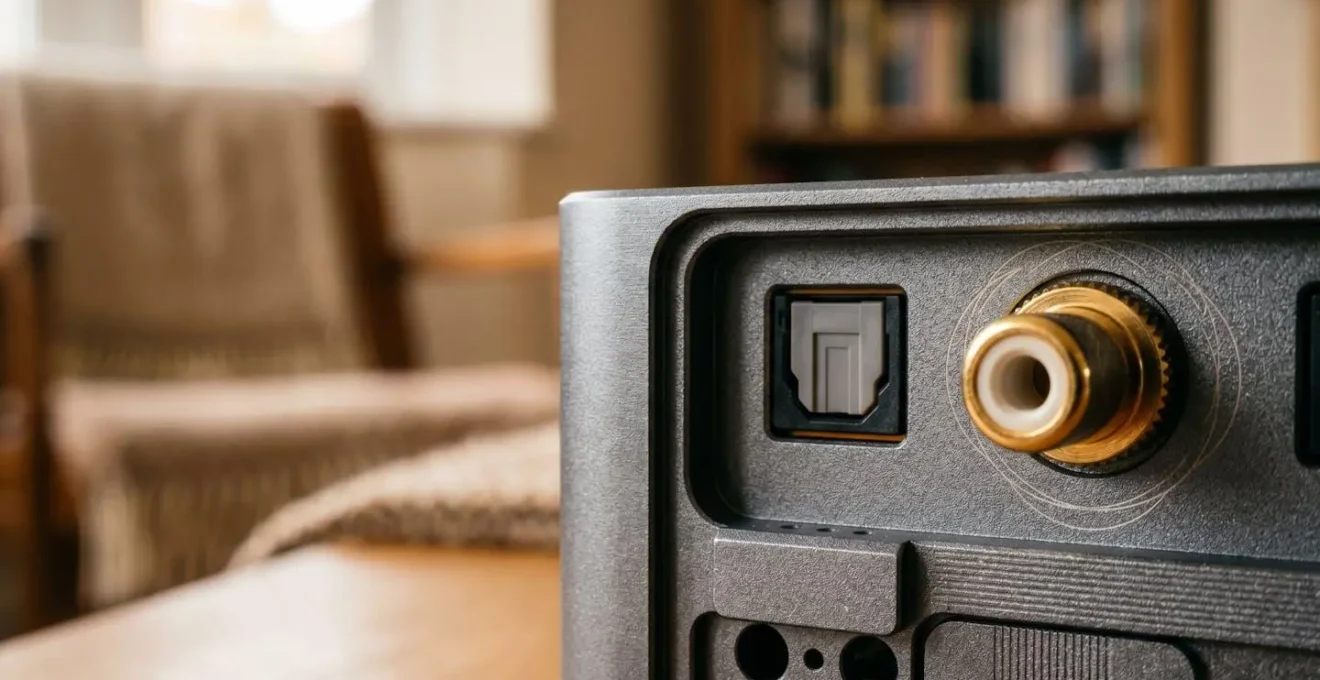
This setup effectively bypasses the smart speaker’s compromised audio components. The speaker becomes a simple ‘transport,’ responsible only for receiving the stream from your network and passing the digital bits to the specialist device. For UK audiophiles, this creates a best-of-both-worlds system: the convenience of voice control and multi-room streaming from a smart device, combined with the sonic purity of a dedicated hi-fi component. This modular approach is far more cost-effective than replacing your entire system, allowing you to make a targeted, high-impact upgrade.
Apple Music Lossless or Tidal HiFi: Which Offers Better UK Catalogue Coverage?
For UK-based audiophiles, the choice between the two leading lossless streaming platforms, Apple Music and Tidal, often comes down to more than just sound quality. Both now offer extensive libraries of over 100 million tracks and provide high-resolution streams up to 24-bit/192kHz. However, subtle differences in their technology, catalogue focus, and artist compensation models can make one a better fit for your specific needs and ethics. As of 2024, both services are identically priced in the UK, making the decision a purely technical and curatorial one.
Apple Music uses its proprietary ALAC (Apple Lossless Audio Codec), which is a true lossless format. Its biggest strength is its seamless integration into the Apple ecosystem. However, its reliance on AirPlay 2 for streaming to third-party devices can be a weakness. AirPlay 2 routes the stream through your iPhone, making your phone’s WiFi connection a potential point of failure and contention. Tidal, on the other hand, uses the open-standard FLAC format and, crucially, its Tidal Connect protocol. This hands the stream off directly to your compatible streamer, which then pulls the data from the internet independently. This is a more robust method, freeing your phone from the audio chain and reducing the risk of dropouts on a congested home network.
A recent comparative analysis of their technical specifications highlights these key distinctions. While both have vast libraries, historically Tidal has been noted for a stronger focus on independent and niche genres, particularly with classic UK labels like Warp Records or 4AD. Apple’s strength lies in its mainstream and pop catalogue. The following table breaks down the essential differences for a UK user.
| Feature | Apple Music | Tidal |
|---|---|---|
| Lossless Format | ALAC (Apple Lossless Audio Codec) – universally compatible true lossless | FLAC (Free Lossless Audio Codec) – open standard, replacing MQA |
| Max Quality | 24-bit/192kHz (Hi-Res Lossless) | 24-bit/192kHz (HiRes FLAC) |
| Connectivity Protocol | AirPlay 2 (streams through phone – potential failure point on congested UK networks) | Tidal Connect (hands off stream to device – independent of phone WiFi) |
| UK Library Strength | 100+ million tracks; strong on mainstream catalogue | 100+ million tracks; historically stronger on UK independent labels (Warp Records, 4AD) |
| Pricing (UK) | £10.99/month (Individual) | £10.99/month (Individual, unified tier as of 2024) |
| Artist Payout Rate | ~$0.01 per stream (varies by market; higher in UK/US) | $0.0125-$0.013 per stream (highest among major platforms) |
The Bluetooth Codec Mistake That Downgrades Your Lossless Stream to CD Quality
You can have a bit-perfect FLAC stream delivered to your phone, but the moment you send it to your wireless headphones, that high-resolution quality can be destroyed. This is the crucial, often misunderstood, role of the Bluetooth codec. Bluetooth does not have enough bandwidth to transmit a true 24-bit/96kHz lossless stream. To send the audio wirelessly, your phone must re-compress it using a specific codec. The mistake is assuming all Bluetooth is created equal. Using the wrong codec can instantly downgrade your hi-res stream to a quality that is, at best, equivalent to a CD—or, at worst, no better than a high-bitrate MP3.
The default codec for all Bluetooth devices is SBC, which offers poor quality and is only intended as a universal fallback. Apple devices exclusively use SBC and a slightly better codec called AAC. While AAC performs well for Apple’s ecosystem, it doesn’t support hi-res audio. To transmit audio that is better than CD quality (16-bit/44.1kHz), you need a device that supports advanced codecs like aptX HD or, the current gold standard, LDAC. These codecs use higher bitrates to preserve more of the original data. An Android phone paired with Sony or Technics headphones that support LDAC can stream at up to 990 kbps, which is certified as ‘Hi-Res Audio Wireless’. This is the closest you can get to a wired sound without the wire.
Therefore, the critical check for any audiophile is to ensure your entire wireless chain—both your source (phone or transmitter) and your receiver (headphones or speaker)—supports the same high-quality codec. A detailed hierarchy of Bluetooth codecs clarifies the significant quality differences. If your £400 headphones only support SBC and aptX, you will never hear the benefit of a 24-bit stream, no matter how perfect the source.
| Codec | Max Bitrate | Max Quality | Quality Tier | Common UK Devices |
|---|---|---|---|---|
| SBC | 328 kbps | Standard Bluetooth baseline | ★☆☆☆☆ | All Bluetooth devices (universal fallback) |
| AAC | 256 kbps | Near CD-quality on Apple devices | ★★☆☆☆ | iPhone, iPad, AirPods (all generations) |
| aptX | 352 kbps | CD-like 16-bit/44.1kHz | ★★★☆☆ | Many Android phones, Bowers & Wilkins headphones |
| aptX HD | 576 kbps | 24-bit/48kHz | ★★★★☆ | Focal Bathys, Sennheiser Momentum series |
| LDAC | 990 kbps | 24-bit/96kHz (Hi-Res certified) | ★★★★★ | Sony WH-1000XM5, Technics EAH-A800 |
When Should You Upgrade Your UK Broadband to Support Whole-Home Lossless Streaming?
It’s tempting to assume that upgrading from an 80 Mbps to a 500 Mbps broadband package will solve all your streaming woes. However, for audio streaming, this is rarely the case. As established, a single hi-res FLAC stream needs about 9 Mbps. Even if you have three simultaneous streams running in different rooms, the total bandwidth requirement is approximately 27 Mbps. Most UK fibre connections comfortably exceed this. The decision to upgrade your broadband should be based on your current technology and its stability, not just its top speed.
The key metrics for audio are latency (the time it takes for a data packet to travel from the server to you) and jitter (the consistency of that arrival time). A slow but stable connection is far better for audio than a very fast but unstable one. For example, Virgin Media’s DOCSIS cable network can offer very high download speeds, but it’s a shared medium within your local area, which can lead to higher latency and jitter during peak hours (evenings and weekends). In contrast, a full-fibre (FTTP) connection from an Openreach provider like BT or Zen Internet provides a dedicated line to the exchange, typically resulting in much lower and more consistent latency, which is ideal for real-time applications like audio streaming.
Before you commit to a new 18-month contract, run a proper diagnostic. Here are common UK scenarios:
- Scenario 1: New-build flat with FTTP experiencing issues. The problem is not your broadband speed. It’s almost certainly your in-home WiFi. Your builder-provided router is likely inadequate. Before upgrading your plan, invest in a quality mesh WiFi system (like Eero or Deco) to ensure a strong, stable signal throughout the property.
- Scenario 2: Victorian terrace with thick walls and 20 Mbps FTTC. Here, an upgrade is justified. Your slow speed and the challenging construction of your home are working against you. Upgrading to an FTTP package is the single most impactful fix you can make for whole-home audio stability.
- Scenario 3: Already have 80Mbps+ FTTP. Do not upgrade your speed. A 500 Mbps or 1 Gbps connection will not improve audio buffering. Your money is better spent on optimising your internal network: a better router, a mesh system, or running an Ethernet cable to your primary streamer.
Why Does Your Smart Speaker Lose Connection in the Back Bedroom?
The back bedroom, the kitchen extension, the loft conversion—these are the classic WiFi dead zones in many UK homes. The reason your smart speaker constantly drops its connection in these areas has less to do with your broadband and more to do with the physical construction of your house. Materials like brick, concrete blocks, and foil-backed insulation—all common in UK properties of various ages—are highly effective at blocking WiFi signals. A single router, even a powerful one, placed in the living room simply cannot push a reliable signal through multiple solid walls.
You might see two or three bars of WiFi on your phone, but for a demanding, continuous application like lossless audio streaming, that weak and unstable signal is not enough. The data packets arrive erratically or get lost, forcing the speaker to constantly re-buffer until the connection eventually fails. WiFi extenders are a common but poor solution; they often create more problems than they solve by creating a separate network and halving the available bandwidth, introducing yet more latency.
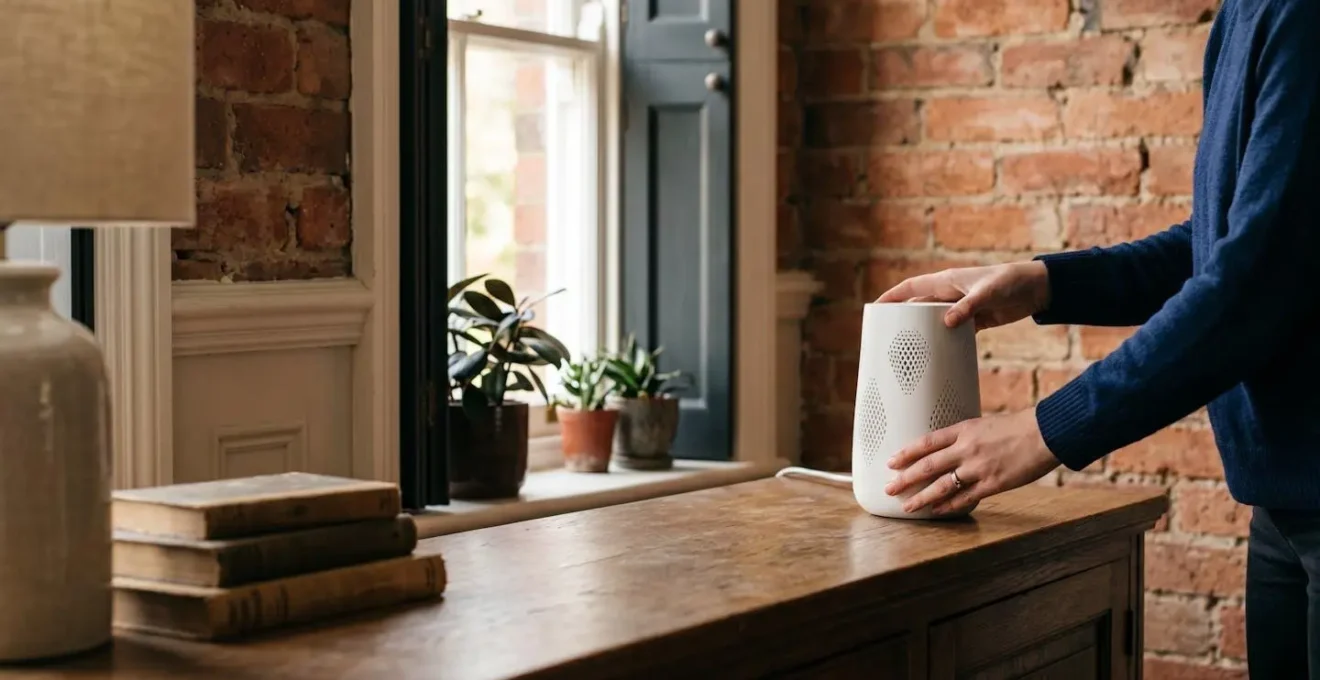
The definitive solution for whole-home coverage, especially in older or larger UK houses, is a mesh WiFi system. Unlike a single router, a mesh system consists of multiple nodes placed around your home. They work together to create a single, seamless, and intelligent WiFi network. Your smart speaker automatically connects to the nearest node, ensuring it always has a strong, low-latency signal. This is not just about extending the signal’s reach; it’s about ensuring its quality and stability in every corner of the house, eliminating the primary cause of dropouts in challenging locations.
Why Does Your 2TB NAS Fill Up After Only 200 Movies in 4K?
While the question frames the problem in terms of movies, the underlying issue of storage capacity is even more acute for an audiophile building a local, high-resolution music library. You might look at your 2TB Network Attached Storage (NAS) drive and think you have a nearly infinite amount of space for music. This is a dangerous misconception rooted in our experience with compressed MP3 files. When you transition to a library of lossless and hi-res FLAC files, storage requirements explode exponentially.
The numbers are stark. A comprehensive storage capacity analysis reveals that while a 2TB drive can hold approximately 40,000 albums in standard MP3 format, that same drive can only store around 1,500 albums in 24-bit/192kHz FLAC format. Suddenly, your vast 2TB drive seems rather small. If you are an avid collector, it is entirely possible to fill a multi-terabyte NAS with just your music library, let alone a collection of 4K movies (where a single film can be 60-80GB). This demonstrates that for a serious media collector, a 2TB NAS is an entry point, not an end-game solution.
For audiophiles who want the ultimate performance from their local library, simply adding more hard drives isn’t the only answer. The speed of the drive also matters, especially for the software that catalogues your library, like Roon. A large library on slow hard drives can lead to sluggish searching and artwork loading. This has led to more sophisticated storage strategies.
Case Study: The Dual-Tier Audiophile Storage Strategy
A practical approach documented on audio forums involves a two-tier system on a Synology or QNAP NAS. A smaller, fast SSD (500GB-1TB) is used to house the operating system, the Roon Core database, and a ‘currently listening’ selection of albums. This ensures the user interface is incredibly fast and responsive. The bulk of the FLAC archive is then stored on larger, more cost-effective traditional HDDs (8-12TB+). Users rotate albums from the ‘archive’ tier to the ‘performance’ SSD tier as their listening habits change. This hybrid strategy optimises both the user experience (fast searches, no lag) and the cost-per-terabyte, creating a high-performance system without the immense expense of an all-SSD NAS.
Key Takeaways
- Lossless audio failure is a network stability issue (jitter, packet loss), not a raw speed problem.
- Internal network optimisation (QoS, Mesh WiFi) provides more value than most external broadband speed upgrades.
- The entire signal chain matters: from the streaming protocol (Tidal Connect) and Bluetooth codec (LDAC) to the final DAC.
How to Build a Media Server That Streams to Every TV in a UK Household?
For the ultimate in control, quality, and ownership, nothing beats a local media server. This approach is for the audiophile who wants to curate their own library of FLAC files and stream them, bit-perfect, to any audio endpoint in their home—be it the main hi-fi system, a smart speaker in the kitchen, or a pair of headphones in the office. Building a server is no longer a dark art reserved for IT professionals. With modern NAS devices and sophisticated software like Roon, creating a powerful, user-friendly hub for your music is remarkably accessible.
The heart of a modern audiophile server is the software. Roon is the industry standard for a reason. It not only plays your files but also enriches them with a vast database of metadata, including album art, credits, reviews, and artist biographies, creating a ‘digital magazine’ experience. The Roon ‘Core’ is the brain of the operation, and it can be installed on a dedicated device like an Intel NUC or directly onto a capable NAS from brands like Synology or QNAP. This Core manages your library and streams it to any Roon-compatible endpoint on your network. A key consideration for UK homes is noise and space; a fanless Intel NUC or an SSD-only NAS can be placed in a living area, while a traditional HDD NAS is best located in a cupboard or loft with good ventilation.
A well-configured server offers unparalleled flexibility. You can send a full-fat 24-bit/192kHz stream to your main network streamer (like a Bluesound Node), while simultaneously sending a down-sampled, compressed version to your phone over 4G when you’re out of the house. The setup process is a logical, step-by-step affair.
- Select Hardware: Choose a Synology/QNAP NAS (e.g., DS920+) or a dedicated Intel NUC (11th gen or later) with a minimum of 8GB RAM to run the Roon Core smoothly.
- Install Roon Server: Install the Roon Server software onto your chosen hardware and point it to the music folders on your NAS drives. Roon will begin indexing and identifying your entire collection.
- Configure Endpoints: Enable Roon compatibility on your playback devices. This could be a high-end network streamer, a smart TV with the Roon app, a laptop, or even a simple Raspberry Pi running a Roon-ready OS like RoPieee.
- Integrate Streaming Services: Link your Tidal or Qobuz account within Roon. This seamlessly integrates their catalogues with your local files, creating one unified library for browsing and playback.
- Set Up Remote Access: Configure Roon ARC for access to your entire library from your mobile phone anywhere in the world, with options for quality settings to manage mobile data usage.
By shifting your focus from chasing speed to mastering stability, you can build a home audio environment that delivers the flawless, high-fidelity experience you demand. The next logical step is to perform an audit of your own network and identify the weakest link in your signal chain.